
See where you spent your time. Discover what actually works. Build better prompting habits that ship code faster.
From Vibe-Coding to Productive AI-Driven Coding
DevArk helps you understand your coding patterns with AI assistants. Start with live guidance, focus your sessions, discover insights, then build sustainable habits. Both local and cloud versions are completely free.
Get Your AI Coding Co-pilot
Track your AI sessions in real-time. Know when you're in flow, when you're stuck, and when it's time to take a break. Works completely offline, your data stays local.
One-Click Install
Install directly from VS Code / Cursor marketplace
In-Editor Dashboard
See your stats without leaving your IDE
Real-time Co-Pilot Panel
AI coaching integrated right in Cursor
✓ Works with Cursor and VS Code
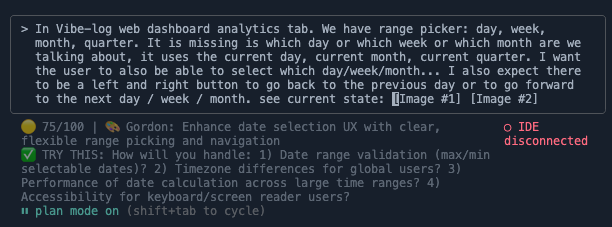
Real-time analytics dashboard tracking your AI-assisted coding sessions
Features That Empower Builders
Everything you need to track, analyze, and share your coding journey
Cursor Extension
One-click install, in-editor dashboard, and real-time AI co-pilot panel. The easiest way to get started with DevArk.
Build in Public Integration
Share your progress on X (Twitter) with beautiful, auto-generated summaries.
Privacy-First Design
Your code stays private. We only track metadata and respect your intellectual property.


Works with Claude Code and Cursor
Your AI pair programmer already logs everything. We just make it visible. Discover when Claude and Cursor multiply your output—and when they don't.

Beautiful Progress Visualization
See exactly what features you worked on and how you spent your time with stunning charts and meaningful metrics.
Streak Tracking & Gamification
Stay motivated with streaks, achievements, and friendly competition with other builders.
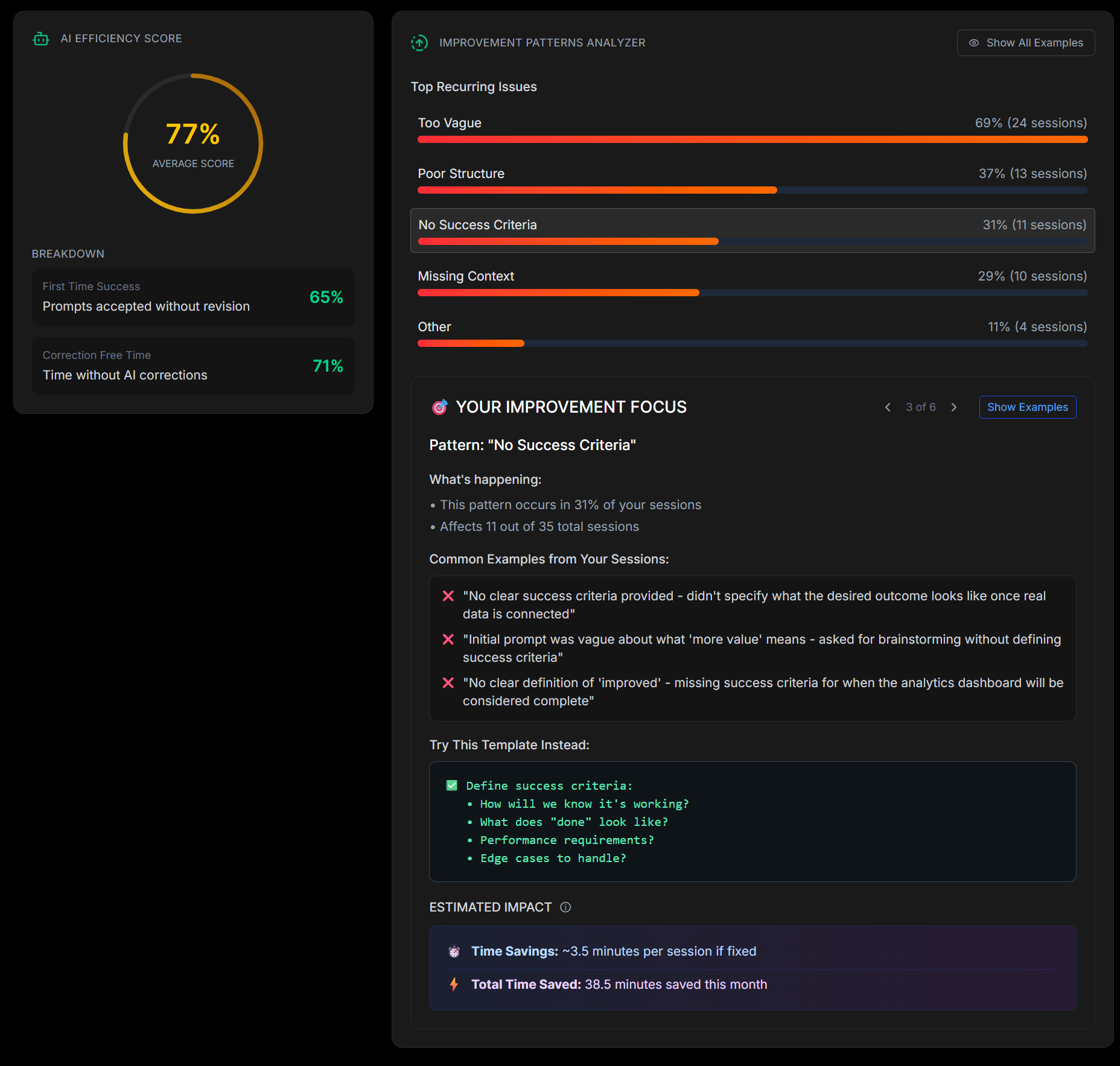
AI-Powered Insights
Get intelligent analysis of your coding patterns and personalized improvement suggestions.
See DevArk in Action
Insights that are based and tailored for your vibe coding patterns. See how DevArk transforms your coding journey.
Transform scattered tasks into crushing victories every week
See exactly what you accomplished and where your time goes. Track meaningful progress with detailed goal achievement tracking and comprehensive time breakdown analysis.
Get AI-powered efficiency scores with insights that save minutes per session
Discover patterns in your coding workflow with intelligent analysis. Get personalized recommendations that help you work smarter, not harder.
Achieve flow states by discovering your productivity patterns
Understand when you're most productive and optimize your schedule accordingly. Visualize your flow patterns and peak performance windows.

This Is How We Vibe
Choose your path and start tracking your building journey
Install Extension
One-click install from the VS Code / Cursor marketplace
Sign In
Authenticate with GitHub to sync your sessions
Start Coding
Your sessions auto-track while you code in Cursor
✨ That's it! No terminal commands needed. See your insights right in Cursor.
Choose Your Setup
Local-first or cloud-powered. Both free to start.
Open Source (Local)
Extension or CLI. Runs locally. 100% private
| Feature |
Open Source (Local)
Runs on your machine
|
Indie Founders
Free Forever
|
|---|---|---|
| Where it runs | Local device (Claude Code) | Cloud (United States) |
| Privacy | 100% offline | Secure cloud |
| AI Analysis Tokens | ~25-100K per analysis | Included |
| AI Insights | Basic | Advanced |
| Analysis cadence | Manual | Auto-sync using Claude Code hooks (optional) |
| Coding Sessions | Unlimited | Up to 5000/month |
| Auto Sync & Daily Summary | - | ✓ |
| Gamified Experience | - | ✓ |
| Share on Twitter | - | ✓ |
| Data Retention | On device | 180 days |
| Reports & Dashboard | Local HTML reports | Interactive dashboard |
| Support | Community | Community |
Ready to Level Up Your Building Journey?
Get early access to our Beta version and start tracking your coding journey today. Join the community of builders shipping daily.
Early access to our Beta version
Frequently Asked Questions
Everything you need to know about DevArk